
Negotiating & Signing Contracts
The opposing school accepts, declines, or counters each game, you review any counters, and both signatures are recorded together the moment they sign.
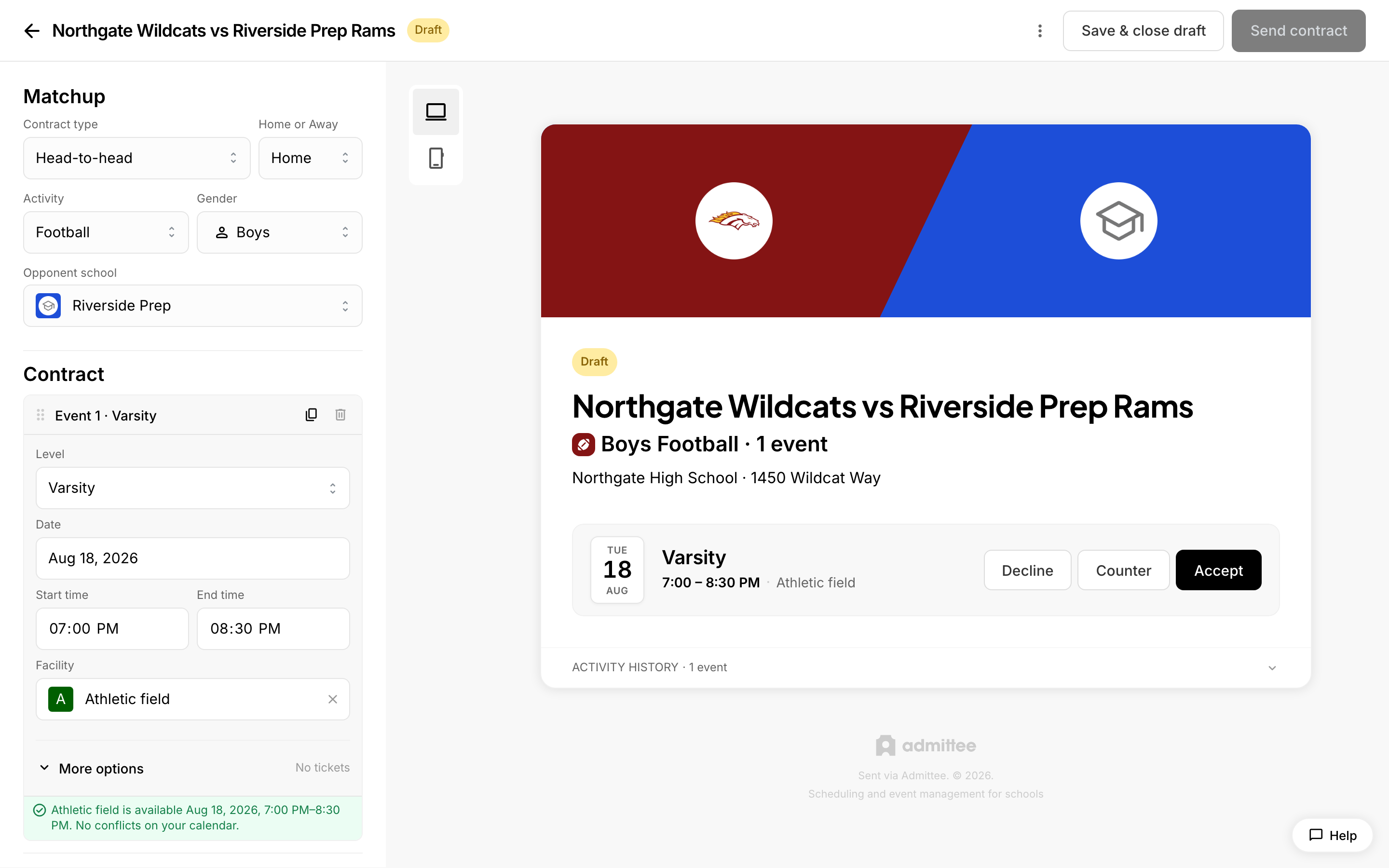 A contract with accept, counter, and decline options.
When you send a game contract, the recipient school decides on each event independently, then signs. You, the host, weigh in only when they counter-propose. Here's what happens on both sides, and how a contract reaches its final state.
How the recipient responds (per game)
The recipient opens the contract from their email link or their dashboard and reviews every event in the contract. Each game has three actions:
- Accept — the recipient agrees to the game as proposed. It will be on the signed contract.
- Decline — the recipient removes the game. They can add a reason; declined games are excluded from the signed contract.
- Counter — the recipient suggests changes (new date, start or end time, or facility) and can add a note. The game then awaits your response.
Decisions are staged locally first, so the recipient can change any answer (the row shows "Click to undo") before submitting. Nothing reaches you until they send their response.
Submitting and signing
What the recipient does next depends on their decisions:
- If any game is still undecided, the action button stays disabled ("Decide on all events before signing").
- If they accepted at least one game and have no open counters, the button reads Sign and send to [your school]. They type or tap to add their signature, and signing completes the contract.
- If they countered or declined everything (or mixed accepts with counters), the button reads Send response to [your school] — no signature is needed, because you may still respond to the counters.
How you approve or deny counters
When a recipient counters one or more games, those games show up for review on the contract in your dashboard. Each countered game displays a "Your original → Their counter" comparison with two choices:
- Accept their time — adopt the recipient's proposed change.
- Keep my original — reject the counter and hold your terms.
If accepting a counter would double-book a facility or your calendar, Admittee shows a conflict banner before you can send. Add an optional note (sent when you keep any original), then click Send response. Accepting counters that resolve the contract stamps your signature automatically and moves the contract to awaiting signature, so the recipient only owes their signature.
When a contract is fully decided
A contract is fully decided once every game has a terminal outcome — accepted, declined, or a resolved counter. Both signatures are recorded together: yours is captured when you send, and the contract is fully signed the moment the recipient signs. The status becomes Signed, accepted games are created on both calendars, and any game fees move into the payment workflow. If the recipient re-counters after you've resolved, your signature clears and the contract returns to in-progress until decisions settle again.