
Contract Payments & Forfeits
Track the event fees a visiting school owes, collect payment online or record it manually, delegate the bill to a finance contact, and log forfeits.
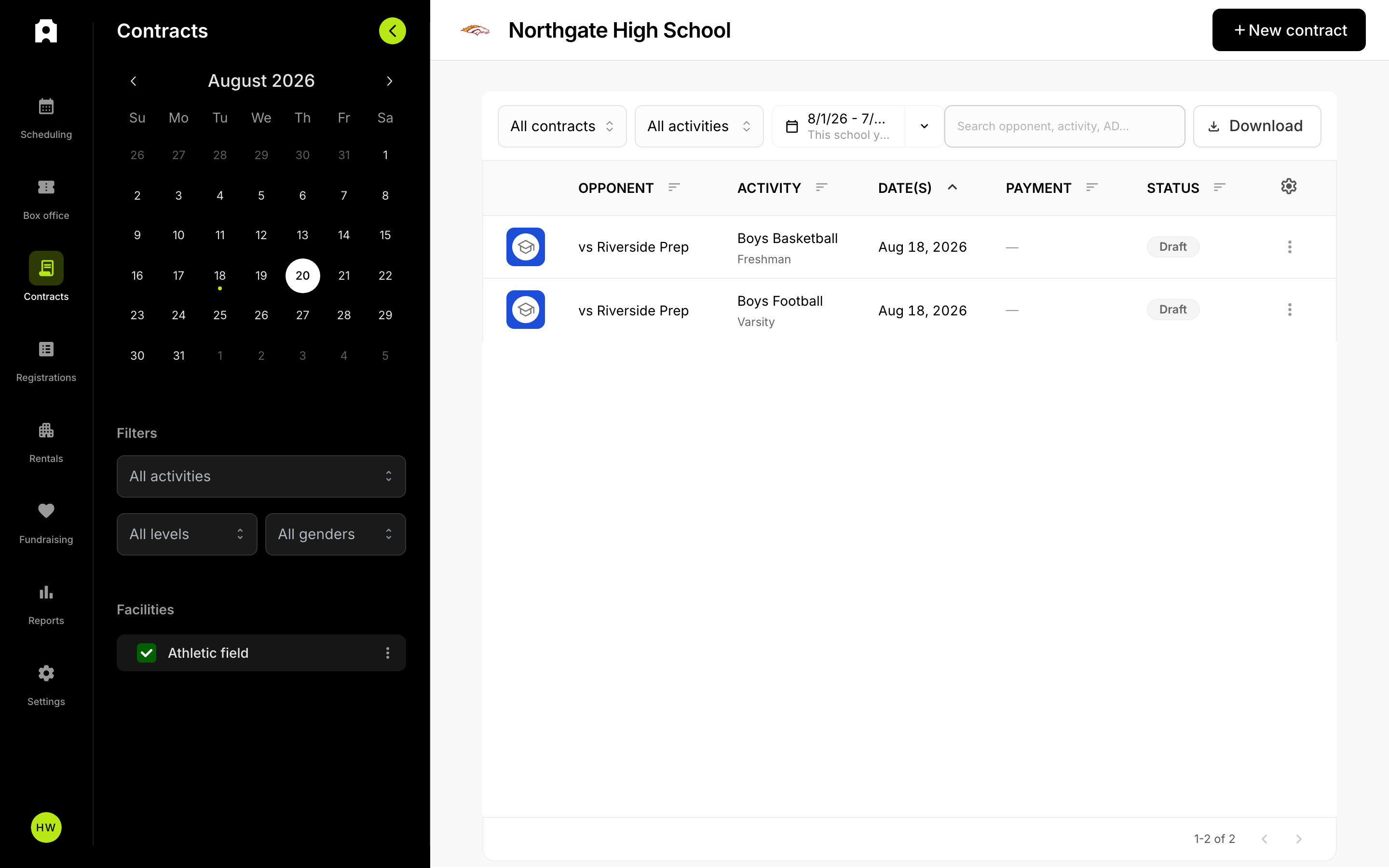 Contract statuses and payments in the Contracts table.
When you host a game, the visiting school owes the event fee you set on each game. Admittee tracks that balance through the agreement lifecycle, lets you invoice and collect it, and lets you record forfeits when a game does not happen.
Who owes what
Each game on a contract carries an event fee — the amount the visiting school owes you, set per game in the contract builder. When the agreement is signed, Admittee sums the fees for the games the recipient accepted and stores that total as the contract's amount owed. Games the recipient declined are excluded. Contracts with no fees are marked not required and never enter the payment workflow.
A separate forfeiture fee is pre-filled per game (by default the greater of 50% of the event fee or $100). It is only charged if a game is forfeited — see below.
Payment status
Once a contract is signed with a balance, its payment status moves through these states:
- Owed — signed, fee greater than zero, not yet due. Default terms are 14 days from signing.
- Overdue — past the due date and unpaid (a derived display state; the stored value usually stays pending until paid).
- Paid — payment confirmed, by card or recorded manually.
- With finance — handed to a finance office and awaiting payment.
- Waived — you wrote the balance off.
The visiting school pays online from the contract page or a tokenized invoice link, charged by card through Stripe. Each contract gets an invoice number (for example CTR-0042) for the receipt and invoice PDF.
Delegating payment to a finance contact
The visiting AD often forwards the bill to a business-office contact who has no Admittee account. From the contract, choose to send it to a finance contact by entering their name and email. Admittee emails them a secure tokenized pay link. You can resend (which rotates the link) or cancel the delegation. The original Pay button stays available, so the AD can still pay directly.
To put the balance into a tracked "with finance" state, use Send to finance; recall it back to pending if needed.
Recording payments manually
If a school pays by check, district transfer, cash, or other means, mark it paid: enter the amount, date, method, and an optional reference (check or PO number). This sets the status to paid and sends the payment-received email.
Recording forfeits
When a game is not played, mark the line forfeited. Choose which side forfeited — visitor (the default) or host — and decide whether to charge the forfeit fee or waive it (for goodwill, illness, or a school that could not field a team). Add an optional note shown under the forfeited game. You can undo a forfeit to return the game to confirmed, or toggle the fee between charged and waived afterward. Forfeit and cancellation are mutually exclusive: a cancelled game (weather, mutual schedule conflict) owes no fee from either side.