
Help Families Find All Your Events
Make events easy to find with clear titles, categories, facilities, complete details, and published pricing so families can register quickly.
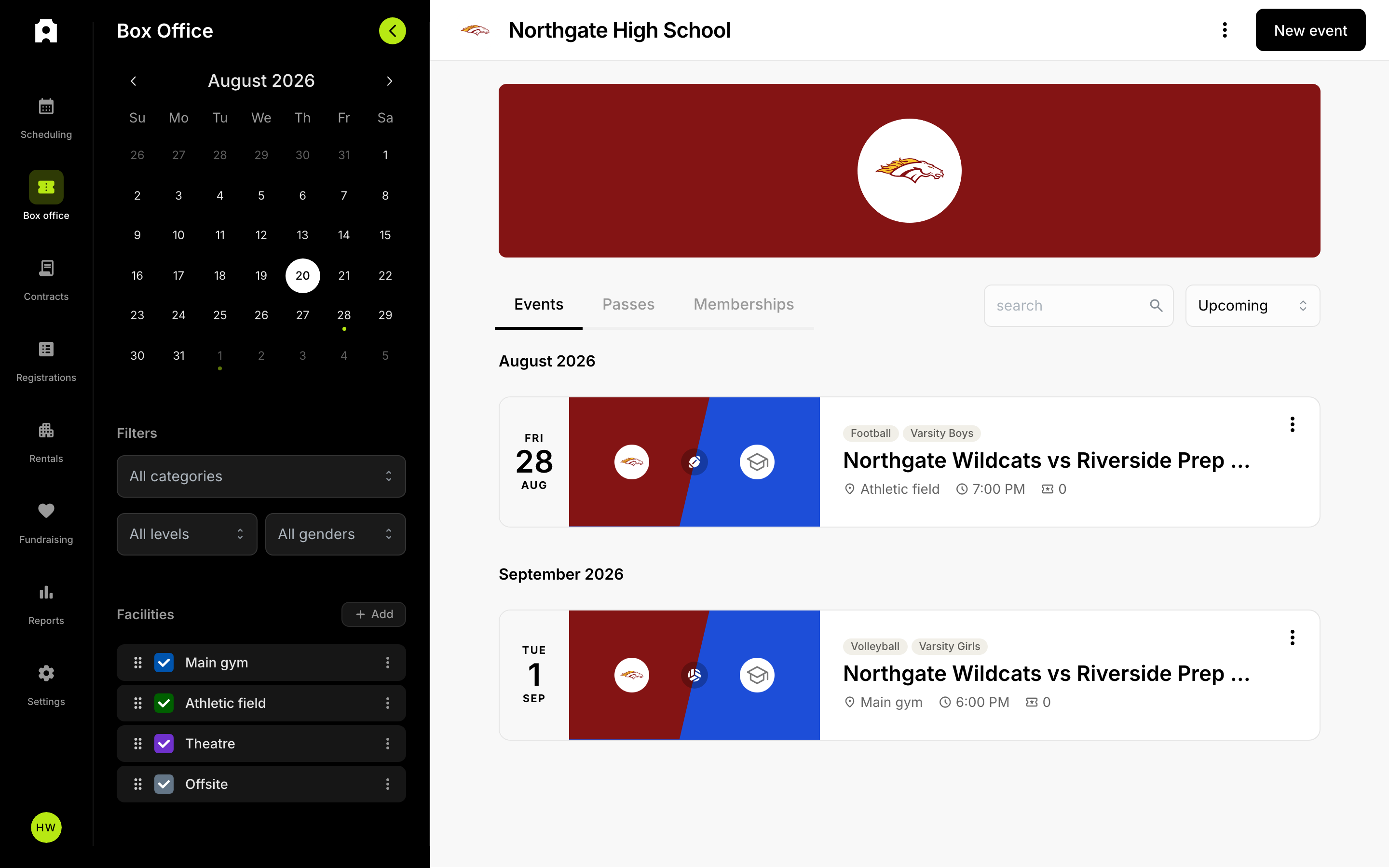 Your events list in Box Office.
Help Families Find All Your Events
Make your events discoverable so families can easily browse and register for all activities your institution offers.
Event Visibility Basics
When you create an event, it becomes available for families to find through your institution's event listings. Here's what makes events discoverable:
- Event details — title, date, time, location, and description
- Event category — sports, academics, arts, social, or other types
- Facility information — where the event takes place
- Pricing and tickets — whether the event is free or ticketed
Make Events Easy to Find
1. Use Clear Event Titles
Choose descriptive names that families recognize. Examples: "Homecoming Football Game," "Spring Concert," "Back-to-School Night."
2. Set the Right Category
Assign your event to a category that matches its type. Your institution may use:
- Sports (Football, Basketball, Soccer, etc.)
- Academics (Graduation, Science Fair, College Fair, etc.)
- Arts and Culture (School Dance, Theater, Concert, Art Exhibition, etc.)
- Social and Community (Pep Rally, Fundraiser, Club Fair, etc.)
3. Assign a Facility
Link your event to the correct facility (gymnasium, stadium, auditorium, etc.). Families can filter events by facility, so accurate assignment helps them find what matters to them.
4. Include Event Details
Provide a complete description with:
- Start and end times (in your institution's timezone)
- What to expect
- Any special instructions or requirements
5. Publish Ticket Information
If your event requires tickets or has a cost, list your ticket types and prices clearly. Free events also benefit from being marked as such.
Help Families Filter by What Matters
Families use event filters to narrow results by:
- Facility — where events happen
- Category — type of event
- Date range — when events occur
When you assign facilities and categories consistently, filtering works better and families find your events faster.
Check Your Event Visibility
After you create an event, verify it appears in:
- Your institution's public event listings
- Calendar views
- Category-based browsing pages
If an event isn't showing up, confirm it has:
- A title and date
- A facility assignment
- A valid event type or category